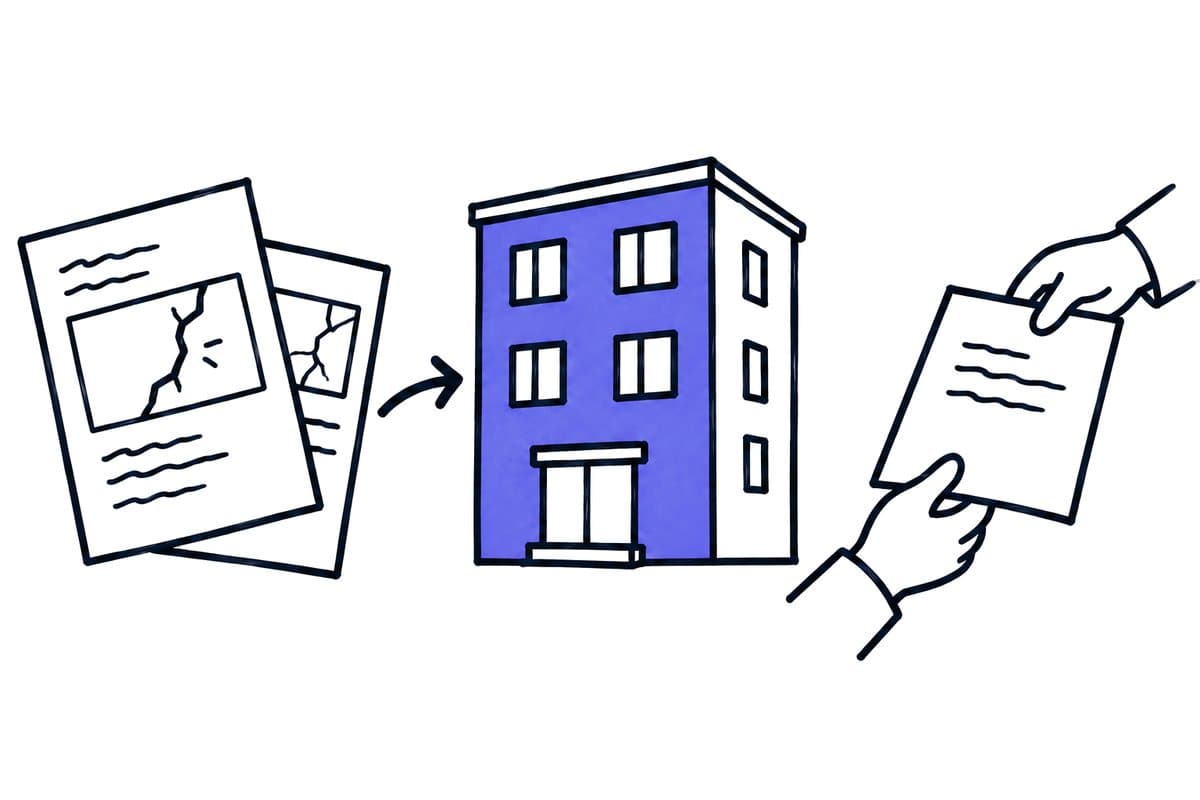
Key takeaways
- Start with one clearly defined case type: a defined damage or service report, contractor coordination or a document request.
- A case needs a stable reference and a confirmed relationship to the property and, where relevant, the unit; ask for clarification when matching is uncertain.
- Urgency, contractor instructions, spending scope and disclosure remain decisions for the business team.
- A case closes only when the required evidence and responses are present.
This guide covers administrative handling of reports, documents and contractors. It does not replace legal judgement, spending decisions or technical hazard assessment. Examples are synthetic, not measured customer implementations. Vendor information was checked on 26 September 2026.
01 / 09
Keep property, unit and contact identities separate
One address may contain several buildings, entrances and units. One contact may be an owner, tenant or authorised representative connected with multiple properties. Filing a message under a surname is therefore insufficient.
A useful case needs a stable reference and a confirmed relationship to the property and, where relevant, unit. Ask for clarification when matching is uncertain. A similar address should not automatically be treated as the same apartment.
The current relationship matters too. A former contact should not receive information simply because their name appears in an old message. Check recipients against the intended current source and the specific case before sending. This data decision belongs before the message goes out, not in complaint handling afterwards.
02 / 09
Which three processes are practical starting points?
The following table shows three property-management processes, the preparation that can be automated in each and the decision that still requires business review.
| Process | Preparation that can be automated | Decision requiring business review |
|---|---|---|
| Defined damage or service report | Structure details, flag gaps and create a case | Urgency, responsibility and response |
| Contractor coordination | Assemble approved details and track replies | Instruction, spending scope and technical work |
| Document request | Match an authorised case and prepare a draft | Recipient, document selection and disclosure scope |
Start with one clearly defined case type. “All tenant communication” covers too many different consequences. Complaints, sensitive records and reports of possible danger may need different owners and review steps.
Write down what the first workflow excludes. This makes it easier for staff to recognise when a message should leave the standard path instead of being forced into an unsuitable category.
03 / 09
Structure the report without inventing its meaning
Capture intake time, property, unit, sender, affected area, description and attachments. Distinguish reported observations from derived proposals. “A resident reports dampness on the ceiling” is different from an automated assumption about the cause.
The work list also needs a state and a responsible role. Useful states might include matching unresolved, information incomplete, ready for decision, instructed and awaiting response. Use completed only when the agreed outcome exists.
AI can summarise a long message or suggest a category while preserving access to the original. Reports suggesting immediate danger should follow the management company’s established escalation procedure. The model should not independently declare the situation harmless.
04 / 09
Synthetic example: two reports about one lift
A fictional management company receives two reports about a building’s lift within a short period. Both concern the same property but describe different observations. The system does not automatically create two unrelated contractor orders.
The two lift reports in this synthetic example pass through four steps, from matching to closure.
- Match and link. First, it matches the contacts and property. It presents an existing open case as a possible connection. A responsible person confirms linking the communication while preserving the second report, original descriptions and timestamps.
- Prepare the instruction. Technical and organisational handling follows the management company’s procedure. Automation prepares approved information for the contractor and records whether an instruction was actually issued. Sending an enquiry is not the same as an accepted instruction or a confirmed repair.
- Assign the reply. When a reply arrives, it is matched through the case reference. The system may prepare an update for the relevant authorised recipients. It does not claim the lift is back in service without the confirmation required by the process. The responsible person checks both the message and recipients before sending.
- Close with evidence. The case closes when the required evidence and responses are present.
Detecting a positive-sounding sentence in the contractor’s message is not a sufficient completion criterion.
Got a workflow like this?
Tell me about it. Honest take and a rough price, usually within a day.
05 / 09
Check interfaces against specific data objects
A management platform may handle master data, communication and cases through different capabilities. Ask about the exact operations, access requirements and relationships needed. “An API exists” is not a complete integration plan.
For example, the official casavi Manager API describes master-data imports and ticket synchronisation. It explains that its reference IDs are customer-supplied identifiers. Asynchronous imports also require checking a subsequent job result, so receiving an import does not mean all records were processed. casavi Manager API.
Your project therefore needs explicit mappings between property, unit and contact identifiers. Establish which system owns changes and how rejected imports become visible. Verify the capability in the actual account; documentation alone does not establish individual access.
Include changes of property manager or system in the design. Existing references must remain understandable during a transfer, and unfinished cases need an owner. Exporting a contact list alone will not necessarily preserve those operational relationships.
06 / 09
Give contractors only the context they need
A technical service request needs different information from an internal owner decision. Prepare the intended handoff package rather than forwarding the entire conversation and every attachment.
That package might contain approved property details, the task description, necessary contact information and the case reference. Exclude internal assessments, documents concerning other units and unnecessary personal information. The lawful scope of disclosure still needs assessment for the particular process.
Check for a reply before sending a reminder. An attachment received but assigned late should not trigger further chasing automatically. Investigate an uncertain sending state before repeating the same message.
07 / 09
Keep failures and manual decisions visible
A property reassignment, new contact or intervening spending decision can make a draft stale. Bind approval to the exact version reviewed. Material changes require another decision.
A non-responsive contractor needs a case owner and an escalation rule. Unlimited automated reminders do not fix missing responsibility. Likewise, an unavailable interface must leave pending reports visible and manually actionable.
After an outage, reconcile work completed manually. A restarted workflow should not issue another instruction merely because its stored state is older than the actual handling outcome.
Define a clear pause control for the business team. If incorrect matching affects several cases, staff should be able to stop further external messages while continuing to receive and organise new reports.
08 / 09
How do you measure handling outcomes?
Track time to correct assignment, unresolved questions, overdue handoffs and review and rework effort. The number of replies generated is weak evidence on its own.
Initial tests should cover a clear report, uncertain unit, similar cases, a former contact, changed approval and a partially failed import. Include a potentially urgent report that must reach the intended escalation path. Define the expected outcome before running each test.
Start with one property group and a common case type. Once identity, ownership and completion work reliably, add further processes. This grows automation from a controlled operating practice that remains understandable to staff, owners and residents.
09 / 09
Take the worksheet
Worksheet
Download the acceptance worksheet
| Case | Expected |
|---|---|
| Similar address | Confirm property |
| Repeated report | Update existing case |
| Unrelated status request | No personal disclosure |
Columns to fill in, in the file: Observed, Owner.
Download the acceptance worksheet (CSV)
These pages and articles continue the topics of this property-management automation guide.
- the 60-second check
- pricing overview
- AI automation for property managers
- AI automation: tasks, selection and implementation
- AI for trades: connect enquiries, quotes and jobs
- Phone intake for property managers: capture usable reports
- Classify documents without forcing unknown types
- Customer-service AI chatbots: plan the human handover