Key takeaways
- If several policies fit, the filing step is held for review; an explicitly unresolved field is more useful than a plausible but incorrect match.
- A receipt acknowledgement may confirm that material arrived, but must not state that a loss is covered or already reported to the insurer.
- The examples in this article are synthetic planning and acceptance cases; they do not establish an existing customer integration or measured saving.
Start with a defined process such as an incoming policy change or a claims document. The examples below are synthetic planning and acceptance cases. They do not establish an existing customer integration or measured saving. Sources checked on 26 September 2026.
01 / 11
Why keep incoming documents, policies and tasks separate?
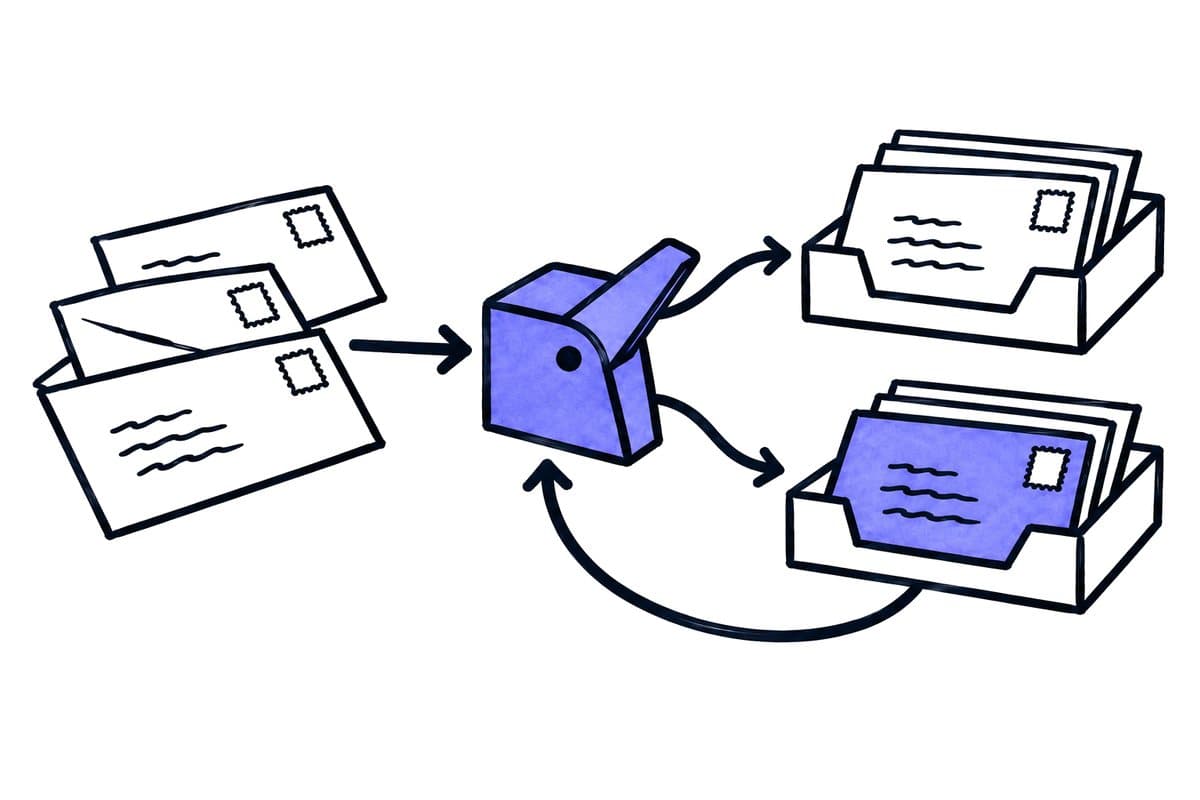
Type is not assignment. A message can contain a new policy, premium change, endorsement or question. Even identifying the document type correctly does not determine the customer and policy to which it belongs. Matching requires reliable references and a procedure for conflicting information.
Fields. Define at least the document type, sender, receipt date, customer reference, policy reference, insurance line and next owner. Not every field must be populated automatically. An explicitly unresolved field is more useful than a plausible but incorrect match.
Several matches. If several policies fit, hold the filing step for review. A similar surname or shared address is insufficient as the only key. A message forwarded by a known customer also does not prove that every attachment belongs exclusively to that customer’s policy.
02 / 11
Check existing standards before adding AI
Structured data first. Use available structured data or a supported retrieval route first. The BiPRO standards overview distinguishes transmissions relating to policies from those concerning claims and benefits, among other processes. A standard’s name does not confirm a particular insurer connection or its functionality within the broker management system.
Per insurer. For each important insurer, establish which records arrive through which route, which version is supported, which identifiers are supplied and how successful receipt is acknowledged. Across DACH, confirm which local partners and systems actually support those routes.
Where AI helps. AI can help where unstructured attachments, inconsistent subject lines or free-text covering notes leave a gap. It should not replace a supplied policy reference with a less reliable textual guess. A well-organised structured intake may remove more work than another model.
03 / 11
What does a broker’s intake process look like step by step?
The following table maps six steps of a broker’s intake process, the result of each step and its professional boundary.
| Step | Result | Boundary |
|---|---|---|
| Capture receipt | Original and incoming reference retained | No professional processing established yet |
| Classify document | Type and proposed policy match | Uncertainty remains visible |
| Assign responsibility | Named owner and task | No automatic coverage promise |
| Professional review | Source-linked decision | Authorised role only |
| Send response | Approved communication | Sending is not confirmed receipt |
| Close case | Traceable final state | Outstanding subtasks remain visible |
Make this map observable in the broker system or a connected work queue. An extra spreadsheet that nobody maintains quickly becomes a second unreliable version of events.
04 / 11
Synthetic example: an endorsement and damage photographs
The message. A fictional customer sends a policy endorsement and two photographs of a damaged item. The subject says only “Documents as discussed”. The system recognises that there may be two separate matters: a policy document and a possible claim.
Matching. The policy number on the endorsement matches an existing record. The photographs do not contain an unambiguous reference. The workflow therefore does not silently file everything against the same policy. It links the endorsement to the proposed policy record and presents the claim information for clarification.
Acknowledgement. A receipt acknowledgement may confirm that the material arrived, but must not state that the loss is covered or has already been reported to the insurer. Confirmation through the intended submission route is needed before establishing the latter state. Professional assessment of coverage remains a separate activity.
Repeated photograph. If a photograph arrives again later, the original incoming reference should help locate the existing case. A genuinely new photograph must still be added. Identical files and a shared underlying claim are different questions for the matching process.
05 / 11
Control deadlines and policy versions
Proposals, not deadlines. AI can propose dates and policy fields extracted from a document. Do not turn them directly into binding cancellation or notification deadlines. An endorsement may change an earlier version; a date may describe when an amendment starts rather than the final day for action.
Confirmed deadlines. Show the original passage, document version and meaning of the date. Once a deadline is professionally confirmed, its associated task needs an owner and cover arrangements. Filing the document in the correct folder does not by itself prevent a missed action.
Corrections. For subsequent corrections, preserve the original value and why it changed. Review communications already sent and tasks still open. Otherwise, the database may be correct while the customer continues relying on outdated information.
Got a workflow like this?
Tell me about it. Honest take and a rough price, usually within a day.
06 / 11
Which country-specific advice sources should brokers consult?
Germany
In Germany, section 61 VVG addresses advice and documentation duties. An automatically generated record does not prove that needs, wishes and reasons for a recommendation were appropriately established and explained. It must accurately reflect the advice that occurred.
Austria
For Austria, the WKO’s model advice process covers preparation, introduction, advice and the period after contract conclusion. Use this professional structure to locate administrative support; do not assume a German standard form supplies appropriate Austrian documentation.
Switzerland
For Switzerland, FINMA explains insurance intermediaries’ duties, including customer information and conflicts of interest. Swiss requirements need their own assessment. None of these sources approves a universally compliant AI solution for every brokerage.
07 / 11
Avoid spreading sensitive records across every system
Access. Insurance documents can include health information, payment details and other confidential data. Define which staff may access each insurance line and case. Search must not bypass those permissions by returning a summary of protected information.
External processing and logs. Also review external processing, support access and technical logs. An error message should not unnecessarily contain an entire health document. For Switzerland, the FDPIC’s outsourcing guidance highlights continuing responsibility and assessment of subprocessors.
Wrong assignment. If a record is assigned to the wrong customer, stop further onward transmission and repair the affected relationships. Check whether a message, task or copy has already been created. Correcting only the original filing location does not automatically reverse every consequence.
08 / 11
Give partial failures a visible work queue
Failure states. One important failure state is “document saved, task not created”. Another is “transmission successful, acknowledgement lost”. Both must remain visible instead of being marked complete.
Stable reference. Use a stable case reference. Before sending or creating something again, establish which operation actually succeeded. Blind retries can be especially confusing for customer communications, producing duplicate or contradictory messages.
Owners. Assign someone to review unresolved technical states daily and someone to make the professional decision. If one person performs both roles, keep the two questions distinguishable: did the case arrive technically, and has the underlying matter been professionally completed?
09 / 11
How do you measure the quality of the complete process?
Test an ordinary incoming document, two policies with similar references, a message containing several matters, a corrected document and failure after a successful save. Define the expected match, permitted customer statement and responsible person before running each case.
Measure correct case assignment, overlooked tasks, follow-up questions and total handling time including correction. A high count of automatically filed documents is insufficient evidence of value. The stronger measure is whether staff can handle the right case completely, transparently and with less effort.
10 / 11
Further worksheets
Worksheet
Download the acceptance worksheet
| Case | Expected |
|---|---|
| Unclear policy number | Professional matching |
| Coverage question | Responsible adviser |
| Wrong customer | Stop transfer |
Columns to fill in, in the file: Observed, Owner.
11 / 11
Related decisions
The following pages and articles cover related decisions for insurance-broker automation.