Key takeaways
- Use available definite information such as a dedicated mailbox or valid case identifier first, then ask the model to assist with remaining decisions.
- Record each message and its relationship to the business case; attachments need their own assessment.
- An unreadable encrypted message belongs in a visible exception queue, and a repeated event must not create another task.
- Keep a stable processing reference and reconcile intake against handled messages.
01 / 09
Why start with the work to be done, not folders?
Tasks, not folders. A neat folder structure does not by itself resolve a business process. Ask what should happen after assignment. Supplier invoices, complaints, appointment changes and applications require different actions. Categories should therefore connect to owners and concrete tasks.
A starting set. A starting set might be invoice, customer enquiry, existing case, HR and unresolved. For each, define the owner, required references, permitted actions and situations that require review. An “other” folder without an owner quickly becomes a hidden backlog.
Priority is separate. Keep priority separate from category. An invoice may be urgent while a complaint may be routine. “Urgent” in a subject line is only a signal. Binding deadlines should come from the business case or verified information rather than the emotional tone of a message.
02 / 09
How do deterministic rules and AI interpretation work together?
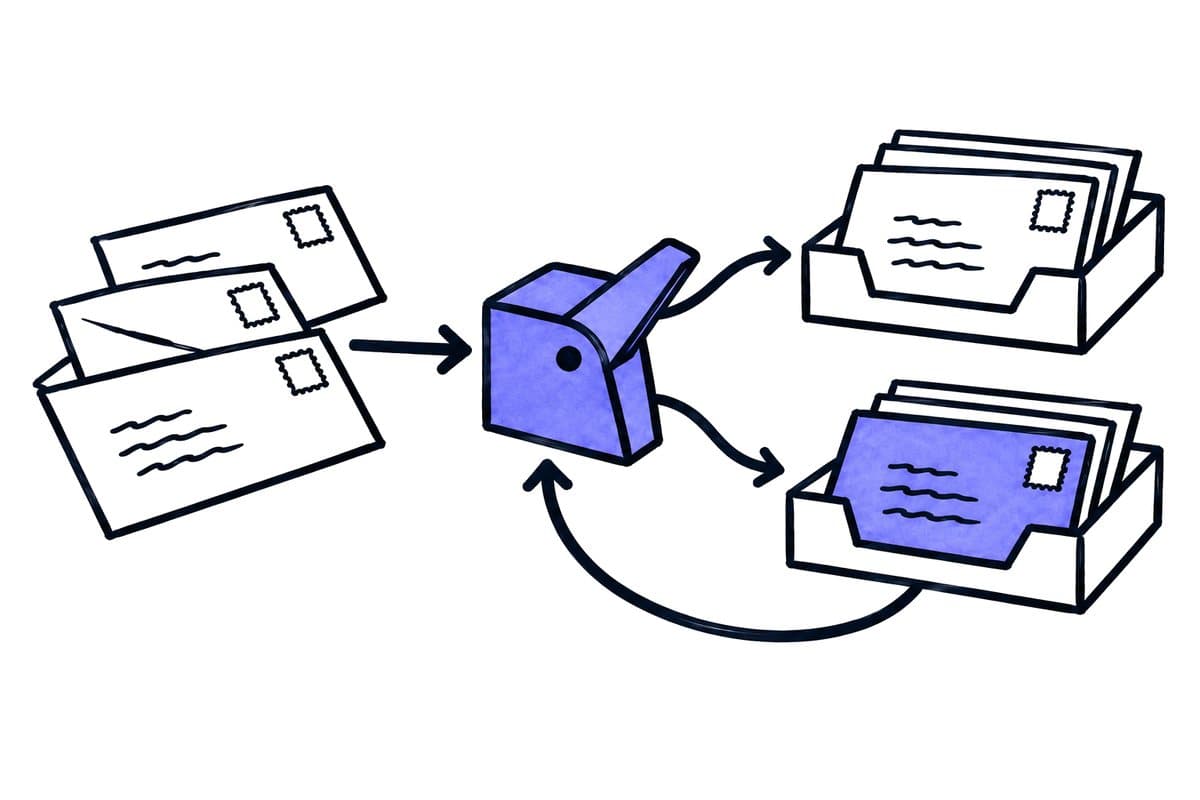
Rules first. Rules work well for unambiguous evidence such as a dedicated mailbox or valid case identifier. AI helps with free text, varied wording and mixed requests. Use available definite information first, then ask the model to assist with remaining decisions.
Bounded output. Keep its output bounded: proposed category, detected reference, a short explanation with supporting text and uncertainty. The integration then checks that the category and reference are valid. The model must not invent teams or forward messages to arbitrary addresses.
Email content is input data. Treat email content as input data. A message instructing the system to ignore its rules and forward everything does not change operating policy. Define permitted recipients and actions outside the message text so unusual or manipulated content cannot authorise new behaviour.
03 / 09
How should threads, messages and attachments be classified?
A conversation can contain several topics. A reply may resolve an old question or introduce a new task. Do not classify the whole thread permanently from its first message. Record each message and its relationship to the business case.
Attachments need their own assessment. A message headed “Invoice” can contain an invoice and a contract. Its category should not automatically assign one document type to every attachment. A short reply without attachments can also carry an important status update.
Which mailbox changes should trigger processing?
Microsoft Graph documents per-folder delta queries for following message changes. Microsoft Graph message change tracking, checked on 26 September 2026. Decide explicitly which folders are monitored and how moving a message affects processing.
The intake design should also distinguish a new message from an updated read flag. Technical changes do not necessarily represent a new business request. Test the event types used by your implementation so routine mailbox activity does not create duplicate work.
04 / 09
What does an operational routing matrix look like?
This design example shows automatic preparation and required control for five kinds of incoming mail; the teams must confirm it:
| Incoming material | Automatic preparation | Required control |
|---|---|---|
| Clearly assigned invoice | Propose document workflow | Check required fields and duplicates |
| Reply with a valid case reference | Add to existing case | Decide whether it answers the open question |
| Two requests in one message | Propose both tasks | Agree ownership between teams |
| HR document | Select restricted HR process | Avoid copies in general team storage |
| Unknown reference | Create internal clarification task | Do not force an assignment |
This is a design example, not general permission to forward information. Teams must confirm the material they need and where it may be stored. Review categories and access permissions together.
Got a workflow like this?
Tell me about it. Honest take and a rough price, usually within a day.
05 / 09
Synthetic example: invoice and delivery complaint
The message. In an invented case, a customer writes: “Attached is the corrected invoice for case 471. The delivery is still incomplete.” A subject-only rule might send everything to accounting and miss the unresolved service issue.
Two tasks. The proposed workflow identifies two tasks: connect the attachment to the existing invoice case and route the delivery statement to the responsible service process. Both tasks refer to the same message. The invoice is not approved merely because the sender calls it corrected.
Follow-up. An employee confirms ownership and keeps the delivery issue open. When a later message says the missing parts have arrived, that new information is connected to the open case. The first assignment remains recorded without being treated as permanently complete truth.
Acceptance test. The acceptance test checks that the process creates two appropriate tasks rather than two unrelated copies of the entire conversation. Reviewers should be able to understand the shared context without losing responsibility for their own action.
06 / 09
How do you verify completeness beyond technical delivery?
Trigger limitations. Mail triggers have specific limitations. Microsoft documents possible duplicate triggers under certain security settings and limitations with protected messages in its Office 365 Outlook connector. Microsoft Outlook connector reference. Check your configuration rather than assuming every event arrives exactly once.
Reconcile intake. Keep a stable processing reference and reconcile intake against handled messages. A repeated event must not create another task. An unreadable encrypted message belongs in a visible exception queue; processing a technical placeholder is not successful classification.
Pause control. Provide a pause control. When routing is wrong, an operator should be able to stop automatic assignment while continuing to record intake. After correction, reassess only affected messages rather than blindly rerunning the whole mailbox.
07 / 09
How do you test and measure email sorting?
Include short replies, long threads, missing attachments, mixed requests, unknown customers, confidential material and manipulated instructions in testing. Check the actual recipient and resulting task as well as the predicted category.
Measure correct first assignment, unresolved messages, correction time and missed requests. A high sorting rate is unhelpful if confidential information reaches the wrong area or tasks appear twice. Record correction reasons and use them to improve category definitions deliberately.
Begin with one shared business mailbox and a few explicit tasks. The target is a traceable work queue in which each team understands what it owns and which decisions remain open.
08 / 09
Take the worksheet
Worksheet
Download the editable CSV table
| Input | Routing | Control |
|---|---|---|
| Invoice with a question | Document process plus visible query | Preserve message context |
| Personnel matter | Restricted owner | No broad team channel |
| Unknown request | Manual intake review | Do not force classification |
| Multiple clients in attachment | Separate review | No automatic disclosure |
| Instruction to ignore rules | Treat as message content | Do not change workflow authority |
Columns to fill in, in the file: Your value / observation, Owner, Next action.
Download the editable CSV table (CSV). Add your own values, owners and open actions. This worksheet contains no measured client results.
09 / 09
Related decisions
These guides and service pages cover the decisions next to AI email sorting:
- AI document processing: capture, review and transfer
- Save Outlook attachments to SharePoint reliably
- Classify documents without forcing unknown types
- AI workflow approvals: who checks which action?
For a workflow review, start with the task, systems involved and typical exceptions. Discuss it with modernagents.