Key takeaways
The main points for moving documents into SharePoint with n8n are:
- A useful n8n SharePoint integration selects the correct site and library, preserves business references, supplies required metadata and confirms the outcome.
- Test authentication first, reading the approved resource second, and a controlled write third.
- If the CRM link fails, recovery must not upload the same file again; resume the missing link operation.
- The n8n documentation checked for this guide specifies a 250 MB limit for the described direct file operation and no built-in segmented upload.
01 / 14
How do sites, libraries, folders and list items differ?
Destination model. Start with the destination model. A SharePoint site provides the organisational context, a document library stores files, and folders organise them. Lists can hold structured business information. Establish whether the workflow must create a file, a list item or both.
Technical specification. A browser folder address is not a sufficient technical specification. Record the required resources, stable IDs and business owner. Decide whether users may later rename or move files and how the workflow should respond.
Node versions. The official SharePoint node guide describes file and list operations. Current documentation distinguishes node versions and their API and credential methods. Check the version used by an existing workflow before applying settings from a new guide. Research was checked on 26 September 2026.
02 / 14
What belongs in a SharePoint filing specification?
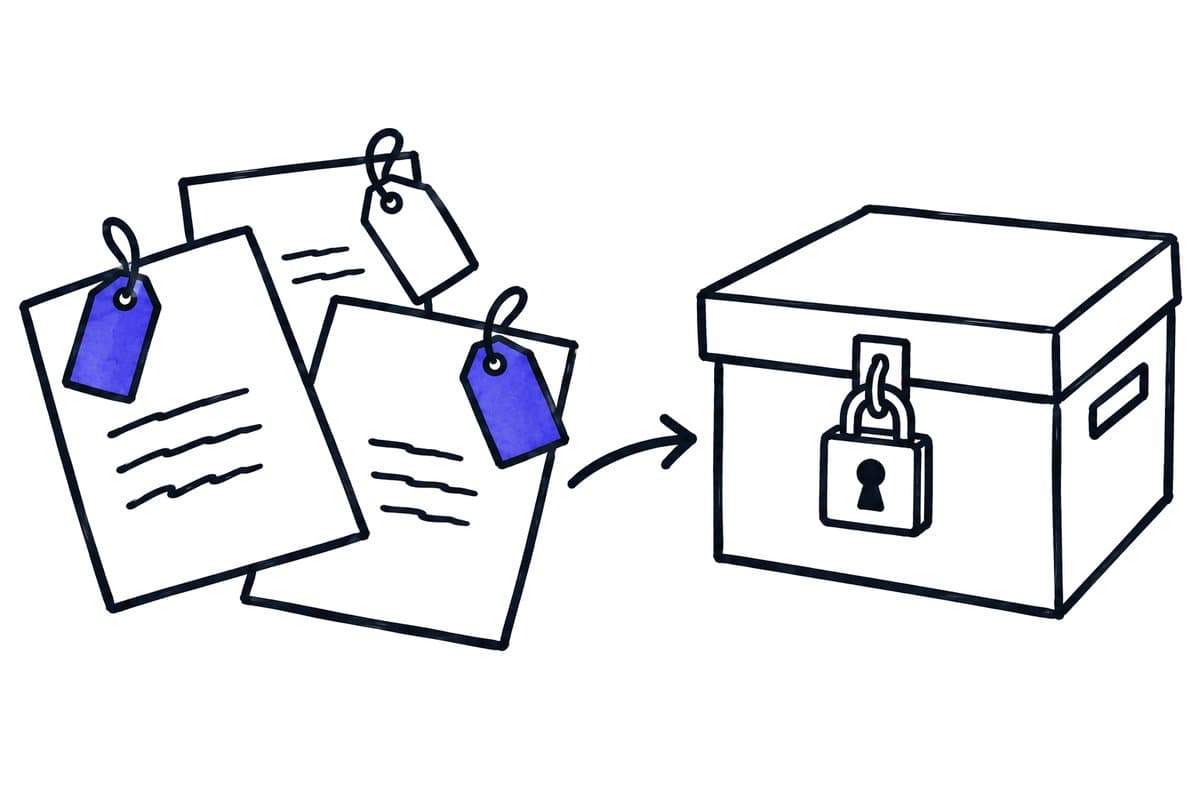
Describe an example outcome: “The approved document for service case S-2048 is stored in the Service Records library, labelled with its case number, document type and receipt date, and linked from the CRM.” That makes both success and missing information identifiable.
The table lists the items of a SharePoint filing specification with an illustrative value and the rule to establish:
| Item | Illustrative value | Rule to establish |
|---|---|---|
| Business reference | S-2048 | Which source confirms it? |
| Document type | Service report | Who handles unknown types? |
| Library | Service Records | Who authorises access? |
| Filename | S-2048-Service-report.pdf | How are multiple reports distinguished? |
| Metadata | Reference, type and date | Which values are mandatory? |
| Confirmation | File ID and link | Where is the evidence recorded? |
These are invented planning values, not a customer configuration. The important point is completeness. An attachment without a case reference must not be assigned to a customer folder through an uncontrolled naming guess.
03 / 14
How do you limit access to the intended SharePoint resources?
Identity model. Decide whether the workflow acts for a signed-in user or as an application without a present user. Their operating consequences differ. Personal access can be affected by employment changes; an application needs an owner and a credential-renewal procedure.
Selected permissions. Microsoft documents selected permissions for limiting access to particular resources. Distinguish consent to the permission from assignment to the actual resource. Read the Graph selected-permissions overview and check support in your node version.
Restricted connection. A restricted connection may need a known site ID or URL instead of tenant-wide site discovery. An empty selector does not automatically mean the intended resource cannot be accessed. Diagnose the particular failure before widening permissions.
Negative requirement. Record the negative requirement too: which site should the connection be unable to access? Demonstrating that restriction is useful evidence that the intended boundary exists.
04 / 14
Why accept authentication and writing separately?
Three checks. Test authentication first, reading the approved resource second, and a controlled write third. These answer different questions. A successful credential check may only show that an application can sign in.
Test environment. Use a test library or explicitly authorised test files. Inspect the result in SharePoint: which identity appears as the editor, can the file be opened, and can the intended users access it? Also verify that an unauthorised site remains inaccessible.
Handover record. Retain the tenant, site, library, node version, permission model and responsible people in the handover. Without these details, a failure after a policy change is harder to distinguish from an incorrect field mapping.
05 / 14
What does a complete n8n SharePoint workflow look like?
Scenario. The following is an invented design, not a tested live integration. An approved service report arrives from an intake system. n8n receives a document ID, case number, document type and either the file or an authorised retrieval method.
In this illustrative SharePoint workflow, filing runs through these steps:
- Validate required values and permitted format first.
- Find the confirmed case mapping and determine the library.
- Check whether this document version has already been processed.
- Store the file and required metadata.
- Associate the returned file ID with the input reference.
- Update the CRM with the confirmed link.
Completion and recovery. Filing is complete only after all required steps are confirmed. If the CRM link fails, recovery must not upload the same file again. Resume the missing link operation. If metadata is incomplete, keep the case visibly unfinished even though the file technically exists.
Intermediate states. Record intermediate results carefully enough to distinguish those states. The operator should be able to see whether a file is absent, present but unlabelled, or complete but not yet linked to the business application.
06 / 14
Why is metadata part of the outcome?
Findability. A file can be stored correctly while remaining difficult to find in everyday work. Define required metadata independently of the filename. Case reference, document type and owner should appear where search and downstream processes expect them.
Field types. Check field types and permitted values. A choice field does not necessarily accept arbitrary wording, and a person reference is different from plain text. Document the actual internal field names and values rather than copying display labels into a mapping without review.
Schema changes. Recheck the workflow after a SharePoint schema change. A newly mandatory field can stop a previously working process. The library owner should coordinate such changes with the workflow owner.
Invalid value test. Include one invalid metadata value in acceptance. A design that silently drops an invalid category can appear successful while undermining the search and reporting the organisation relies on.
Coordinate structural changes with the library owner
Changes to the library. A new mandatory column, content type or folder rule can make a previously working upload incomplete. Agree that changes to the relevant library will be checked against a representative case. Uploading a file without the metadata needed afterwards is not full completion.
Example. In a synthetic example, a library introduces a mandatory project identifier while an older workflow still sends only the filename and content. Instead of assigning an arbitrary default project, the process stops with a useful explanation or applies an approved mapping rule. Missing information becomes visible before documents appear in the wrong project.
Field names. Record internal field names and their business meaning in the handover. The column label shown to users is not sufficient as a durable interface specification.
07 / 14
How should filename conflicts and versions be handled?
Name conflicts. Decide what an existing name means: replace content, create a new version, choose another name or stop processing. The appropriate rule depends on whether the input represents a new document version or a repeated delivery.
Document ID. Use a business document ID and, where appropriate, a version identifier. Filenames can change and rarely provide sufficient identity on their own. Identical content may also legitimately belong to two different cases; content comparison must not destroy that association.
Example rule. For a corrected service report, a rule might be: same document ID, higher approved version, update the existing target reference. Redelivery of the same version should create no additional copy. Identify who decides whether the business meaning is a new document or a revision.
Got a workflow like this?
Tell me about it. Honest take and a rough price, usually within a day.
08 / 14
How large can files be in the n8n SharePoint node?
Transfer mechanism. File size affects the appropriate transfer mechanism. Microsoft documents both direct uploads and upload sessions for segmented transfer. An API capability is not automatically implemented by the selected n8n node.
250 MB limit. The n8n documentation checked for this guide specifies a 250 MB limit for the described direct file operation and no built-in segmented upload. Verify that boundary for your deployed version. Larger-file requirements need a suitable tested integration path rather than simply a larger timeout.
Tests. Test ordinary files, the largest required file and an interrupted transfer. Establish whether incomplete artefacts remain and how they are cleaned up. Compare destination content and size, not just the HTTP status.
Custom upload sessions. For a custom upload-session path, include continuation and expiry in the design. It is an additional integration task with its own acceptance cases, not merely another setting on the existing upload.
09 / 14
How do you preserve the intended confidentiality boundary?
Actual permissions. Successful storage does not prove that every authorised employee can read the document or that unauthorised people are excluded. Check actual destination permissions. An automatically created sharing link can have different access properties from the existing library.
Sharing links. Do not create a broader link merely because it makes the CRM reference convenient. Define the intended audience and test with a typical employee and an unauthorised test account. An administrator opening the document is not a meaningful end-user permission test.
Temporary copies and logs. Include temporary copies and logs. A document correctly protected in SharePoint may still appear in an unprotected intermediate folder. Map the entire transfer, including temporary storage.
10 / 14
How do you make list-item matching unambiguous?
Unique key. If the workflow also creates or updates list items, the lookup needs a reliable unique key. Several matches for an allegedly unique reference require clarification. The workflow should not silently edit the first result.
Larger lists. For larger lists, examine indexes, filters and pagination using Microsoft and node documentation. A small test dataset can hide problems that appear at real volume. Use representative data and the actual lookup condition.
File and list record. Distinguish the file from the list record. An existing list item with a missing file is a partially completed case. Recovery should add the missing component rather than recreate both objects.
11 / 14
Which cases belong in acceptance?
Test these cases for an n8n SharePoint integration:
- a normal file
- a repeated document version
- a newly approved version
- missing metadata
- an unauthorised site
- a filename conflict
- an interruption after upload
Include the largest intended file.
Expected results. For each case, specify file count, target ID, metadata, access behaviour and business-case state. This exposes both accidental copies and missing CRM links. Have a second person resume an interrupted case using the operating instructions.
Result record. Keep the result record with the node and API version used. A future upgrade may change defaults or supported operations, and the saved cases provide a focused way to recheck the integration.
12 / 14
Who owns operation and later changes?
Owners. Name owners for the library, permissions and workflow. Monitor old unfinished filings and missing metadata as well as technical failures. Coordinate changes to columns, folder structures and access policies before they affect production.
Handover. A useful handover contains the destination inventory, mappings, conflict rules, acceptance cases and recovery procedure. It also states node limitations and any additional API work. This lets the organisation control its document process after the original developer is no longer available.
User review. Review the filing outcome with actual users after the pilot. If they still cannot find documents, inspect metadata and retrieval paths rather than merely reporting successful uploads. The purpose is accessible, correctly associated business information, not a high upload counter.
13 / 14
Take the worksheet
Worksheet
Download the editable CSV table
| Component | Decision | Failure test |
|---|---|---|
| Destination | Site, library, folder | Missing library |
| Filename | Naming and collision rule | Different same-name files |
| Metadata | Client, type, period, source | Missing required field |
| Version | Replace or version | Repeated delivery |
| Access | Allowed group | Unauthorised test user |
Columns to fill in, in the file: Your value / observation, Owner, Next action.
Download the editable CSV table (CSV). Add your own values, owners and open actions. This worksheet contains no measured client results.
14 / 14
Related decisions
These pages cover the service overview and the related decisions for n8n with SharePoint:
- n8n implementation and workflow operations
- Save Outlook attachments to SharePoint reliably
- Preserve SharePoint permissions in RAG answers
- Hand over n8n credentials and permissions
For a workflow review, start with the task, systems involved and typical exceptions. Discuss it with modernagents.