Key takeaways
- DATEV lists services for document images, invoice data and booking data; they support different transfers.
- Determine which DATEV automation is already enabled before commissioning external account coding.
- Check that reviewers can locate the data and the original document together in the destination.
- After an uncertain transfer, reconcile the destination before resending.
01 / 12
What does “automate DATEV” mean for your process?
A business may only need to provide complete invoices. Its accountant may need reviewed information that can be processed as posting proposals. An online shop additionally needs to reconcile payments, fees and refunds. These tasks have different inputs and should not disappear behind a generic integration promise.
DATEV lists services for document images, invoice data and booking data among its accounting data services. They support different transfers from connected partner applications. DATEV data services, checked on 26 September 2026. Confirm the service your application actually supports and its setup requirements for the specific connection.
The intended outcome in DATEV determines the first question to resolve:
| Intended outcome | First question to resolve |
|---|---|
| Make original documents available | Which supported document intake path is already used? |
| Transfer invoice information as proposals | Which structured fields and source connections arrive? |
| Transfer prepared accounting entries | Who owns classification and accounting correctness? |
| Reconcile payments | Which transactions, fees and refunds are covered? |
| Record approval | Which system holds the authoritative approval status? |
“DATEV-compatible” does not answer these questions. Ask for the entire path from source to visible destination record, with a named owner at both the business and the accounting practice.
Select the service by the intended outcome
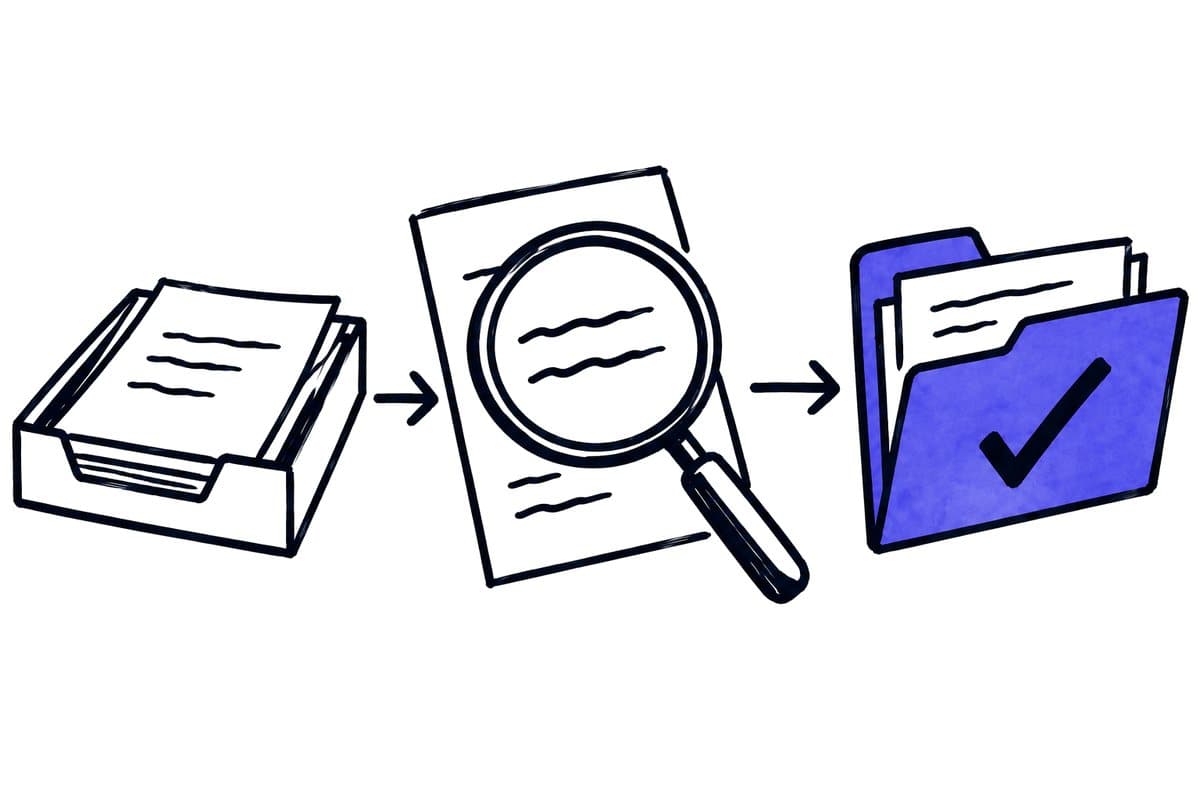
Have the business and practice define where work currently starts and finishes. Document-only transfer may suffice when recognition and coding are already well organised in DATEV. Structured invoice information can help when reviewed data exists upstream. Prepared accounting entries require explicit professional responsibility for that preparation.
Compare available connections on source linkage, transmitted data, destination state, correction support and setup effort. Do not choose solely because a proposal calls one interface more modern. Determine which duplicate manual work disappears and which controls remain.
Request a list of unsupported cases, including relevant document types, assignments or update paths. A limitation is not automatically disqualifying, but it must fit the workload and have a usable fallback.
02 / 12
Which automation is already available in DATEV?
What DATEV describes. According to its product description, DATEV Automatisierungsservice Rechnungen uses AI to generate posting proposals from digital documents and pass them to Kanzlei-Rechnungswesen. Fields requiring checking or completion are identified during processing. DATEV Automatisierungsservice Rechnungen.
Check before commissioning. Before commissioning external account coding, determine which capabilities are already enabled and how they perform on your documents. Two independent predictions do not automatically make the process better. If an external model and DATEV disagree, the reviewer needs a clear basis for choosing the approved value.
Where external preparation helps. External preparation can still help: collect documents from multiple sources, prepare client assignment, identify missing attachments or consolidate questions. For each step, specify which information is merely proposed and which is transferred after approval.
The accountant's working environment. Consider the accountant's working environment as part of the design. An external tool that creates a separate review queue may increase effort if the same records still require full review in DATEV. Test the complete sequence rather than comparing extraction screenshots alone.
03 / 12
What belongs in the DATEV handoff data model?
Data agreement. Start with a compact data agreement. Include an internal case identifier, client, original file, invoice number, date, supplier, amounts, currency and, where needed, line items and approved account coding. Add provenance and processing status. Not every service transfers all this information in the same way; mapping must fit the selected connection.
Data and document image together. DATEV's developer use case distinguishes structured invoice data from the associated document images. DATEV Developer Portal. Explicitly check that reviewers can locate the data and original together in the destination. A record without an accessible source creates additional search work.
Three field rules belong in the DATEV handoff mapping:
| Information | Rule |
|---|---|
| Invoice number | Treat as a string; leading zeroes and meaningful separators must survive conversion |
| Amounts | Explicit currency and agreed decimal representation |
| Dates | A receipt date must not silently replace an invoice date |
These are accounting acceptance concerns as well as technical validation concerns.
Absent values. The mapping should state whether absent values are allowed, calculated under an approved rule or returned for clarification. Avoid apparently helpful defaults that hide incomplete evidence. A visible unresolved field is easier to correct than a plausible invented value.
04 / 12
Worked example: invoices, duplicates and missing information
The scenario. The following scenario is synthetic. A business supplies 100 invoices for a month. Five also arrive through a second mailbox. Three lack a required purchase reference. The objective is complete availability for accounting review, not automatic payment.
Intake. Intake creates one identifier for each business transaction. The five repeated submissions are connected to existing cases and remain traceable. The three incomplete cases receive a specific reason and owner. The others are transferred through the confirmed DATEV path.
Review and completion. The practice checks the actual destination records and source connections. The business supplies the missing information for the three open cases, and only those cases continue. Repeating the entire month's delivery later must not generate another set of posting proposals. Demonstrate that behaviour using the selected transfer method.
Reconciliation. Reconciliation therefore shows 100 expected transactions, initially 97 acknowledged and three open. Receiving 105 files is not contradictory when the five repeated submissions are documented. This simple count exposes errors that an import success message alone could hide.
Interrupted transfer. A further test should interrupt a transfer after submission. If the response is uncertain, reconcile the destination before resending. Record how the operator distinguishes a rejected request from one that succeeded but lost its acknowledgement.
05 / 12
How are approval, corrections and electronic invoices handled?
Where are corrections and approval recorded?
Decide where accounting corrections are made and how other systems learn about them. If the practice changes account coding, an older source arriving later should not overwrite that decision. Preserve version and approval state and define which changes require another review.
How should structured electronic invoices be processed?
For a structured electronic invoice, process the available structured information first. Reading a PDF rendering again with OCR can introduce unnecessary extraction errors. Germany's Finance Ministry explains structured electronic invoices and their distinction from ordinary PDF documents. BMF electronic invoice FAQ. Technical format validation remains separate from confirming the business transaction.
Who determines the tax treatment?
This guide describes operational and technical decisions. It does not establish the tax treatment of an individual transaction. The responsible accounting professional must define rules for cases such as mixed tax rates, foreign currencies and corrections.
06 / 12
Who is responsible for what? An example responsibility model
In a synthetic arrangement, the business checks intake, assigns order and cost centre and confirms delivery. The practice reviews accounting treatment and decides on final processing. The integration transports the source and approved information without redefining those responsibilities.
In this synthetic example, each piece of information or decision has one owner:
| Information or decision | Owner | Evidence for the next step |
|---|---|---|
| Complete original | Business intake team | All pages and source reference |
| Delivery confirmed | Business department or purchasing | Recorded case decision |
| Cost centre | Authorised business person | Valid reference |
| Accounting treatment | Responsible accountant or practice | Reviewed proposal or decision |
| Technical acceptance | Integration operator | Destination identifier and state |
| Payment | Authorised business role | Separate payment approval |
This is a design example, not a universal responsibility rule. Adapt it to the engagement. Both sides must use status terms consistently. Approved must not mean delivery confirmed in the business while silently meaning finally posted in the integration.
Got a workflow like this?
Tell me about it. Honest take and a rough price, usually within a day.
07 / 12
How are changes handled after the initial transfer?
The case. Suppose an invoice is sent before its project association is resolved. Decide how the later information can be added through the actual connection. If the path supports only initial submission, creating another record is not an appropriate substitute for updating the existing one.
Ask for a demonstration. Ask for a demonstration of correcting or supplementing an already transferred case. Record whether the change occurs upstream, in DATEV or through an agreed communication process. The ability to resend is not proof that resending is a valid business update.
One authoritative source. If the practice changes information, establish which state should drive downstream reporting. Avoid two independently edited current spreadsheets. A clearly authoritative source for each field or decision is easier to operate than unrestricted synchronisation without conflict rules.
08 / 12
How do you recover an interrupted monthly import?
A second synthetic example contains 50 cases. After an outage, 42 are acknowledged, five rejected and three uncertain. Resolve those groups separately instead of recreating all 50.
Correct the five rejected cases. Inspect the destination for the three uncertain ones and recover existing target identifiers where applicable. Reconcile the final list against the original intake. Each case needs an explainable result.
Request this scenario in the demonstration. The provider should distinguish business rejection from missing technical acknowledgement. The practice should find the results in its own workspace rather than relying exclusively on an external dashboard.
09 / 12
Agree data scope and exit arrangements
Establish what the extension stores outside the intended DATEV environment. Status monitoring may need only case identifier, source, destination reference and reason. Copying full documents into every technical log adds managed copies without necessarily improving operation.
Agree an export of open cases and their references if the connection is replaced. The practice must know what arrived and what remains missing. Losing association history should not force all historic documents to be submitted again.
Finally, name contacts on both sides and a schedule for count reconciliation. Open handoffs need owners, especially at period close. A technical success report without comparison to the actual DATEV records is insufficient.
10 / 12
What a supplier should demonstrate before implementation
Demonstration cases. Request a normal invoice, credit note, duplicate, invalid client assignment and deliberately interrupted import. For each, the demonstration should show what arrives, what remains unresolved and who corrects it. An uncertain transfer result requires destination checking before another create operation.
Quotation. The quotation should cover setup, required products, partner access, operation, error handling and changes. Establish which data is processed outside DATEV and who can access it. A supported data service does not by itself establish that the entire surrounding workflow meets every privacy or retention requirement.
The right workflow. The right workflow is one the business and its accountant can jointly accept: complete sources, understandable proposals, visible exceptions and acknowledged handoffs. That also provides a practical basis for deciding whether external AI removes additional work or merely duplicates existing capabilities.
11 / 12
Take the worksheet
Worksheet
Download the editable CSV table
| Decision | Confirm with firm and supplier | Evidence |
|---|---|---|
| Destination | Product and supported service | Named configuration |
| Client | Assignment identifier | Two clients remain separate |
| Payload | Images, invoice fields or entries | Expected destination fields |
| Access | Setup and permissions owner | Necessary access only |
| Failure | Rejection and retry handling | Visible status |
Columns to fill in, in the file: Your value / observation, Owner, Next action.
Download the editable CSV table (CSV). Add your own values, owners and open actions. This worksheet contains no measured client results.
12 / 12
Related decisions
These guides and service pages cover the decisions next to a DATEV document workflow:
- AI document processing: capture, review and transfer
- Automation for tax and accounting firms
- A tax-firm document workflow: a worked example
- Design an invoice approval workflow with clear ownership
For a workflow review, start with the task, systems involved and typical exceptions. Discuss it with modernagents.